
Hello,
Welcome To
FG Help Center
From Lucy
About Us
Lucy: FG Web App

FG is a Multi-Media Video, Photo Sharing Website also added Chat and Posting, Where users can Get Verified When they are Remarkable and authentic!

Account Locking
Account Locked
Account Locking / Private

FG provides users with the option to enhance their privacy by concealing their profiles. When you choose to lock or make your account private, your profile becomes visible only to individuals who are already following you. This feature ensures that your content and personal information are accessible exclusively to your existing followers, offering a layer of security and control over who can view your profile. Likewise, you will also only be able to see the profiles of those you are already following. This mutual privacy setting helps maintain a more secure and intimate online environment, allowing users to share content with a trusted circle rather than the broader public.

NOTICE: We're still working on the button to turn your account private.

Account Verification
What is Verified Accounts?

If The account is an remarkable person, brand, band, artist it wil automatically have an Verified Badge. The Blue Verified Badge - Verified Account are for FG Accounts that are authenticated and is well known. The Gold Verified Badge - Verified account are for FG Accounts that are highly authentic, goverment accounts.

Steps to Become FG Verified

  1. Click on the Button that says "Send Email"
  2. Input the Gmail, Date of Birth, Any Valid Id.
  3. or Gmail us at kangaroogamingapo0731@gmail.com and Email us the required items that are mentioned in Step 2.

Our Web-Application Has Been Running For

2
Years and
Running
Verified Badge
Verified Account
Verified Badge Gold
Verified account
Developer's Badge

Verified Information


Blue checkmark

The blue checkmark, often referred to as "FG Verified," is a symbol used on social media platforms and other digital platforms to indicate the authenticity and legitimacy of a particular account or profile. Accounts that are verified typically belong to public figures, celebrities, brands, or entities of significant public interest. The verification process involves a platform's verification team confirming the identity of the account owner and ensuring that the account meets specific criteria for verification, such as being notable or having a large following. The presence of the blue checkmark helps users distinguish between genuine accounts and impersonators or fake profiles, providing a sense of trust and credibility to the account's content and interactions. Register Now!
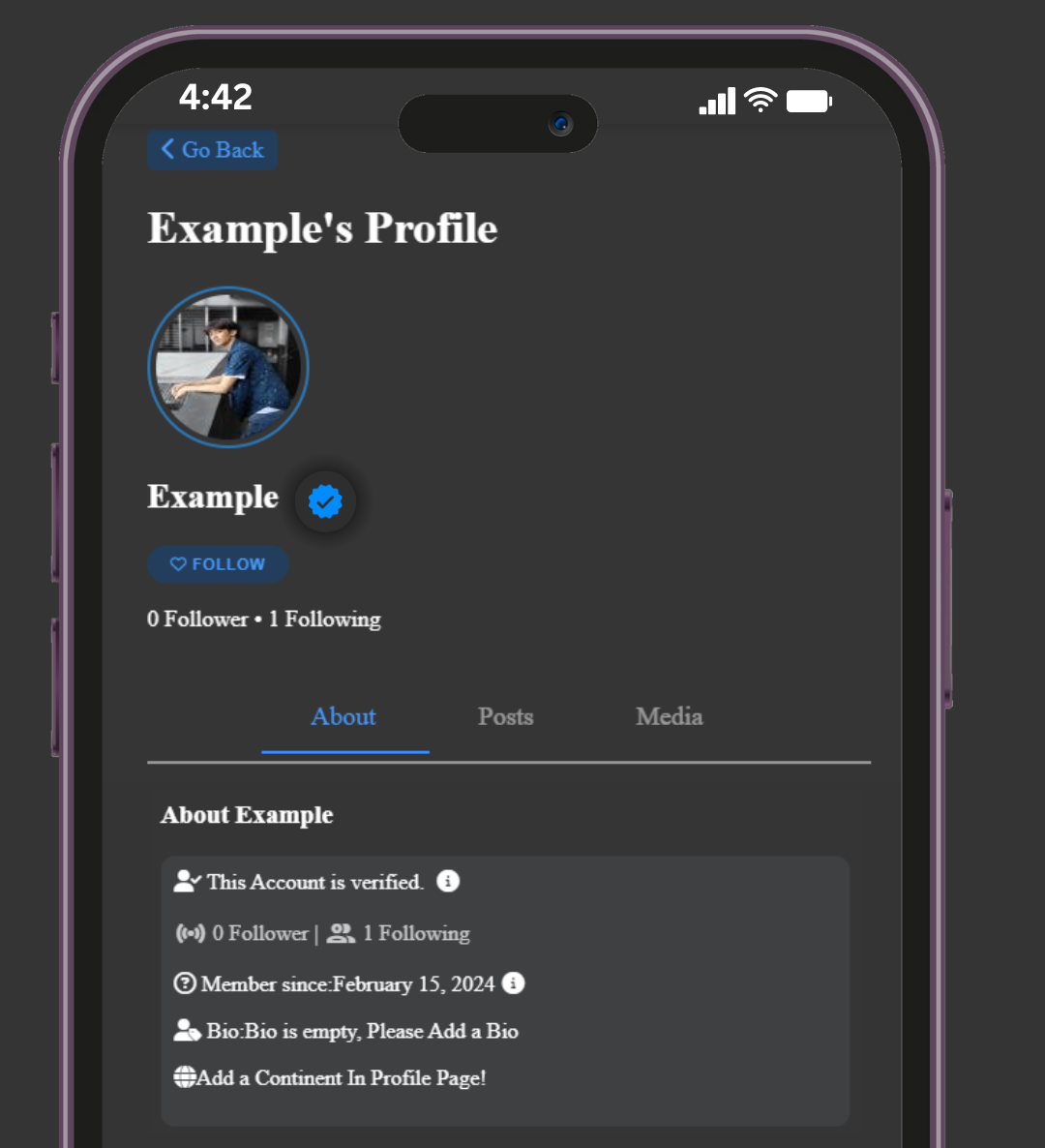

Verified Badge in FG Account

Gold checkmark

The gold checkmark, often known as "FG Verified," serves as a symbol denoting the highest level of authenticity and credibility for accounts across various digital platforms, including social media. Accounts bearing the gold checkmark typically belong to individuals, organizations, or entities of exceptional significance or prominence within their respective fields. The FG verification process involves rigorous scrutiny by platform verification teams to confirm the identity and authenticity of the account holder. Criteria for FG verification often include substantial influence, noteworthy achievements, or significant contributions to their industry or community. The presence of the gold checkmark instills confidence and trust in users, distinguishing verified accounts as genuine and authoritative sources of information and content. Register Now!
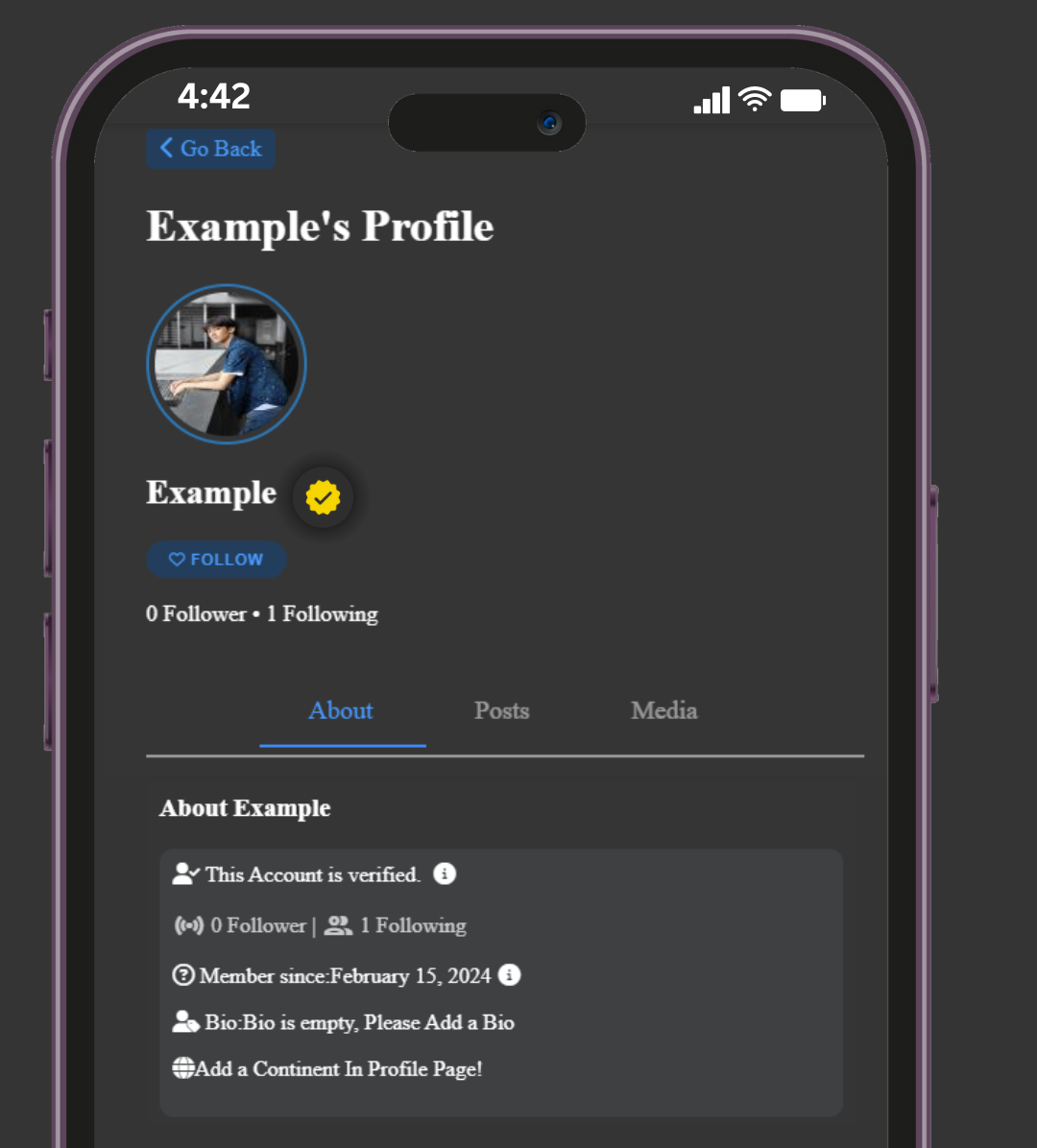

Verified Badge in FG Account
Privacy & Protection
Privacy

We Do Not Store Any Personal Data We only Need your password but it is hidden and cannot be decoded, email

Passwords

Password Are Hidden to Attackers it is Imidietly Sent as PassWord Hush After Setting Up Password.

Storage

We only Limit Every Post, Chat With Video or Image Up to 25MB is the max Upload of Files.

Forgot Password, email

We are Sincerely Sorry but we cannot get you your email back but your password still can.

Verified Accounts

Verified Account Should be 18 Years Old and Above, Has Valid Id's *Atleast 2* for Confirming Age.

Guide & Tutorial
• Logging Out using DropDown?

You may click your profile picture in the top right of your screen and then click on the Setting & Privacy then click on Log out.


• How to Enable Dark Mode? "BETA"

You may click your profile picture in the top right of your screen and then click on the Display & accesibility then click on "Dark Mode" then turn it on.


Updates

• Patch 20.7 - May 22, 2024

What's New?

  • We've Added Dynamic Loading: As you scroll, additional info will load dynamically after the initial two.
  • Security Update


• Patch 10.7 - March 27, 2024

What's New?

  • The purpose of this Help Center is to assist users in using our web application.
  • When you notice an arrow down, we've added an Easy Acces Settings Drop down to your profile image!
  • We have added support for URLs that post via Google Icons and display the delivered link's favicon.

Why we Changed the Login Ui?

  • The Login Page User Interface has been updated to look better on all screen sizes.
  • Furthermore, we updated the user interface to make it more contemporary. In this digital age, our web application will not be behind in being modernized.

Announcements!

We plan to update our web application and potentially redesign the entire user interface in the coming months and years, making it accessible on all screens as of May 31, 2024.

Furthermore, we intend to include a feature called Forget Password, which will allow users to retrieve their Gmail accounts by providing a registered email address to receive a password reset email from our team.


Please write us at bawaltntsmp@gmail.com or kangaroogamingapo0731@gmail.com if you have any feedback!

Warm regards, Lucy Technical Team

FG Last Updated

June,
26
,2024
Contact Us
Have Any FeedBacks or Reccomendations?

Kindly Gmail Us in bawaltntsmp@gmail.com or kangaroogamingapo0731@gmail.com Regards to the Issues, FeedBacks, Reccomendations you have! Happy Browsing..